


- 0
- 723 words
How to Use TopCashback Correctly & Earn Maximum Cashback
Description:
Introduction to TopCashback
- Daily necessities shopping
- Beauty & health orders
- Digital product purchases
- Travel booking
- Overseas online shopping
Step 1 – Register & Verify Your Account
- Visit the official TopCashback website (US / UK / Global version according to your needs)
- Click Join Free to create a new account
- Fill in your email address and set a secure password
- Complete email verification to activate your account
- New users can get an exclusive sign-up bonus after the first valid order
Step 2 – Search Store & Activate Cashback
H3: Correct Operation Steps
- Log in to your TopCashback account
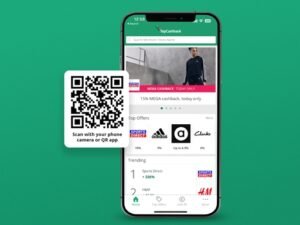
- Enter the merchant name in the top search box
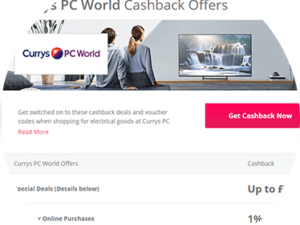
- Check the real-time cashback rate and exclusion rules of the store
- Click the official Get Cashback button to jump to the merchant website
All shopping behaviors must be entered through the jump link of TopCashback,
otherwise the order cannot be tracked.
Step 3 – Standard Shopping Process (Avoid Tracking Failure)
✅ Must Do
- Keep the original jump tab and do not close it
- Complete payment in one continuous operation
- Prioritize official coupons or TopCashback exclusive discounts
❌ Strictly Forbidden
- Do not open multiple new tabs or jump to other websites
- Do not use ad blockers, privacy mode, or unknown VPN nodes
- Do not use third-party discount codes not authorized by the merchant
- Do not switch from web page to mobile app for payment
Step 4: Understand Cashback Status Changes
- Pending
Automatically recorded within 24–72 hours, the order has been tracked successfully.
- Confirmed
After the merchant’s return protection period ends (30–90 days),
the merchant confirms that the order has no refund or cancellation.
- Payable
Funds are unlocked and you can withdraw cash freely.
Step 5 – How to Withdraw Cashback
Common Withdrawal Methods
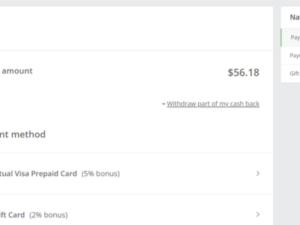
- PayPal Withdrawal
The most commonly used method, fast arrival and low threshold.
- Brand Gift Card Redemption
Amazon and other gift cards, with extra reward bonus.
- Bank Transfer / Virtual Card
Suitable for users who need physical card consumption.
Withdrawal Process
- Enter the account earnings page
- Select Cash Out
- Choose the withdrawal method and fill in the account information
- Complete identity verification and submit the application
Advanced Pro Tips to Earn More
- Install the TopCashback browser extension
One-click activation of cashback when browsing merchants directly, more convenient.
- Check holiday limited-time high rebate activities
Black Friday, Christmas and other festivals will increase cashback rates.
- Reasonably use the referral program
Invite friends through the official referral program to receive additional referral bonuses when eligible.
- Check merchant exclusion terms in advance
Some categories such as flash sale products and customized orders do not support cashback.
Common Reasons for Cashback Missing & Solutions
- Cookies are cleared during checkout
- Used conflicting discount codes
- Abnormal network environment such as proxy IP
- Partial refund or order cancellation
Clear browser cache before placing an order,
close all plug-ins that affect tracking,
and complete payment at one time.
Final Summary
As long as you follow the standard entry steps and shopping specifications,
you can stably get long-term rebates for all online shopping.
it is the best choice for overseas shopping enthusiasts to save money.
Disclosure: This post includes TopCashback affiliate referral links. There is no extra cost to you. Both of us will receive sign-up rewards after you register and earn valid cashback. TopCashback provides free cashback for over 7,000 brands with flexible withdrawal options.
Referral Link: Click HereAuthor

912915207@qq.com
Related Posts
I Got the Email about Google Ads API transitioning from developer tokens to Google Cloud projects., Here’s What It Actually Says
- 0
- 717 words
Google is sunsetting developer tokens and moving the Ads API to Google Cloud projects. I got the email, decoded the corporate-speak, and...
Read out allI Broke My Own WordPress Site Editing Theme Files (So You Don’t Have To)
- 0
- 603 words
I’m a developer by trade, so when I built this site I figured the WordPress part would take an afternoon. The actual...
Read out all
How to Build a WordPress Website with Hostinger (Step-by-Step Guide)
- 0
- 853 words
Building a WordPress website has never been easier. Whether you want to create a personal blog, a portfolio site or a small...
Read out all
Official Step-by-Step Guide to Configure Google Ads API Credentials
- 0
- 452 words
This document provides a standard, official procedure for enabling the Google Ads API and obtaining all required authentication credentials. This guide covers...
Read out all